
Guide
Generate chart, trader, and liquidation screenshots from Telegram.
The Telegram screenshot bot turns supported chat commands into Omni Terminal share screenshots while preserving environment-specific routing, share-rendering, and alert boundaries.
At a glance
- Commands
- /chart /liqstats /trader Bot workflows cover chart, trader profile, liquidation bucket, liquidation stats, info links, and news screenshots.
- Routing
- Env-specific Dev and prod alerts must use their matching bot tokens, chats, and public links.
- Output
- Share URL Rendered screenshots are paired with share links for inspection.
Why It Matters
What traders and researchers should take away
- Telegram screenshots make market context and trader-profile views easier to share quickly.
- Environment routing matters because dev alerts must not post to production channels.
- The public guide documents commands and safety boundaries without exposing bot tokens.
How it works
What the product uses behind the scenes
- The Telegram screenshot bot script owns command parsing, queueing, rendering, and Telegram send behavior.
- Share screenshot routes create short share records and generated PNG preview URLs for Telegram, Discord, and OG image use.
- Deploy rules define dev/prod Telegram token, chat, and link separation.
Notes
Things to know
- Never publish Telegram bot tokens or allowed chat identifiers.
- Dev links must remain on the dev host and production links on the production host.
- Screenshots should avoid private account state unless intentionally shared by the user.
Guide
Steps
- Open the bot command help
Use
/help,/help chart,/help liqstats,/help liqbucket,/help trader,/help info, or/help newsto see supported workflows. - Request a screenshot
Send a supported command such as
/chart BTC 1d,/liqstats BTC clusters,/trader BTC best pnl, or/news BTC topwith the intended symbol, interval, tab, or address context. - Wait for rendering
The bot may queue the render, then posts the generated image and matching Omni share URL when complete.
- Check environment routing
Confirm dev commands use dev links and production commands use production links before sharing externally.
Safety
Before using this workflow
- Do not expose bot tokens, chat IDs, or private access headers.
- Keep dev alerts on dev links and production alerts on production links.
- Verify share URLs before posting screenshots in public channels.
Next
Open the workflow
- Open News Review market context that can be shared through screenshot workflows.
Screenshots
Real UI references
These are captured from Omni Terminal routes with public-safe state. Private balances, wallet secrets, access headers, and live private positions are not used.
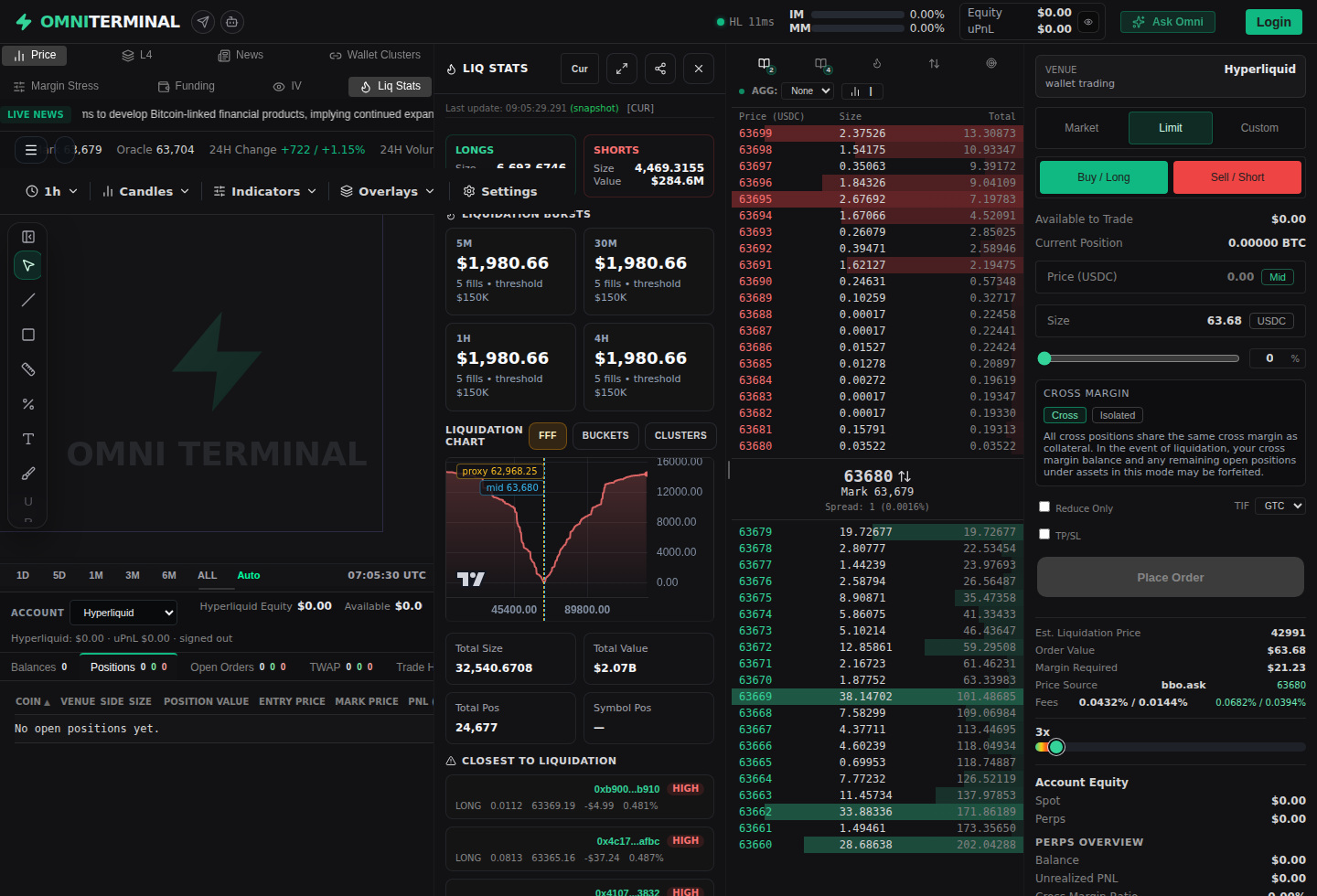
Telegram command: /chart BTC 1d 2026-06-13 - docs-v1Supported screenshot workflows
The bot is built around repeatable chart and market-context captures.
- Chart screenshots for symbols, intervals, and current or aggregate liquidation scope.
- Trader profile screenshots for address-oriented review and leader-style requests.
- Liquidation bucket, liquidation stats, and news screenshots for market stress and event context.
References
Implementation references
Telegram screenshot bot
omni-terminal/docs/TELEGRAM_SCREENSHOT_COMMANDS.mdDocuments supported Telegram commands, dev/prod routing, bot profile copy, and screenshot behavior.
Telegram screenshot bot implementation
omni-terminal/scripts/telegram_screenshot_bot.mjsImplements bot command parsing, share-rendering requests, queues, and Telegram send behavior.
Deployment routing rules
omni-terminal/AGENTS.mdDocuments dev/prod Telegram alert and short-share routing constraints.